
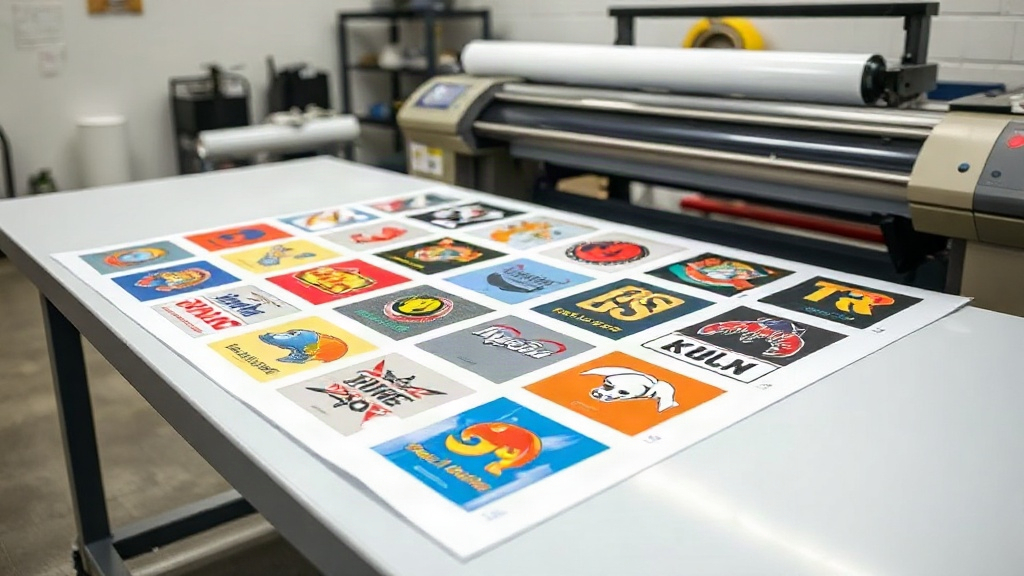
If you're in the custom apparel business, you know that time is money. Every minute spent manually arranging designs on transfer film is a minute not spent growing your business. That's where a DTF gangsheet builder comes in. This powerful tool lets you combine multiple designs into a single sheet, maximizing efficiency and minimizing waste. But it's not just about saving time; it's about working smarter, not harder. In this guide, we'll dive deep into the world of DTF gangsheets, showing you how to leverage them for maximum profit.
What Exactly Is a DTF Gangsheet?
Before we get into the builder, let's clarify what a gangsheet is. In DTF printing, a gangsheet (or gang sheet) is a large sheet of transfer film that contains multiple designs printed together. Instead of printing each design individually, you arrange them efficiently on one sheet. This method is a game-changer for print shops that handle many small orders or want to offer a variety of designs without constantly reloading the printer.
Why Gangsheets Matter for Your Bottom Line
Printing one design at a time is inefficient. You waste film, ink, and time. Gangsheets solve this by:
- Reducing material waste: By nesting designs closely, you use more of the film and reduce offcuts.
- Speeding up production: Print once, cut many. You can produce dozens of transfers in a single pass.
- Lowering cost per transfer: Less waste and faster production mean more profit per piece.
- Enabling small batch orders: You can mix designs for different customers on one sheet, making small orders profitable.
How a DTF Gangsheet Builder Works
A DTF gangsheet builder is software that helps you arrange designs on a virtual sheet before printing. You upload your artwork, set the sheet size, and the builder automatically nests the designs to minimize empty space. Some advanced builders even optimize rotation and spacing for you. Once you're happy with the layout, you send it to your DTF printer.
Key Features to Look For
Not all builders are created equal. When choosing a DTF gangsheet builder, look for these features:
- Automatic nesting: The software should automatically arrange designs to use the least amount of film.
- Custom sheet sizes: You should be able to set any dimensions supported by your printer.
- Design library: Some builders let you save frequently used designs for quick access.
- Color management: Ensure colors are accurate and consistent.
- Export options: The builder should export in a format your printer understands, like PDF or TIFF.
Step-by-Step: Building Your First Gangsheet
Ready to try it? Here's a simple process to create your first gangsheet using a DTF gangsheet builder.
- Gather your designs: Collect all the designs you want to print. Make sure they are high resolution (300 DPI or more) and have transparent backgrounds.
- Set your sheet size: Determine the size of your film. Common sizes are 13x19 inches or 22x24 inches, but you can customize based on your printer.
- Upload and arrange: Use the builder to upload your designs. The software will automatically place them. You can manually adjust if needed.
- Check spacing: Ensure there's enough space between designs for cutting. A good rule is 0.25 inches between designs.
- Print and cure: Send the file to your DTF printer, apply hot melt powder, and cure.
- Cut and press: Cut out each design and press onto garments.
Best Practices for Efficient Gangsheets
To get the most out of your DTF gangsheet builder, follow these best practices:
1. Group Similar Sizes
If you have designs of similar sizes, group them together. This makes nesting easier and reduces wasted space.
2. Use High-Quality Artwork
Low-resolution images will look pixelated when printed. Always start with high-quality files.
3. Mind the Gaps
Don't place designs too close. You need room to cut them out without damaging the edges.
4. Test Different Layouts
Most builders let you try different arrangements. Experiment to find the most efficient layout.
5. Keep a Library of Common Designs
If you frequently print certain designs, save them in your builder's library for quick access.
Common Mistakes to Avoid
Even with a great builder, mistakes happen. Here are pitfalls to watch for:
- Overcrowding: Trying to fit too many designs can lead to cutting errors.
- Ignoring film orientation: Some films have a direction; make sure designs are oriented correctly.
- Forgetting to mirror: If your printer requires mirrored images, double-check before printing.
- Not accounting for shrinkage: Some films shrink during curing; leave a little extra space.
How Gangsheets Boost Your Business
Using a DTF gangsheet builder isn't just about saving film; it's a strategic move. Here's how it impacts your business:
- Faster turnaround: You can fulfill orders quicker, impressing customers.
- Lower costs: Less waste means more profit per transfer.
- More design options: You can offer a wider variety without increasing costs.
- Scalability: As your business grows, gangsheets help you keep up with demand.
Choosing the Right DTF Gangsheet Builder
With so many options, how do you choose? Consider your budget, printer compatibility, and ease of use. Some builders are web-based, while others are desktop software. If you're just starting, a free or low-cost builder might suffice. For high-volume shops, invest in a robust solution with advanced nesting algorithms.
Frequently Asked Questions
What is a DTF gangsheet builder?
A DTF gangsheet builder is software that helps you arrange multiple designs on a single sheet of transfer film to maximize efficiency and minimize waste.
Can I use any DTF printer with a gangsheet builder?
Most builders export standard file formats, so they work with most DTF printers. However, check compatibility with your specific printer model.
How much can I save by using gangsheets?
Savings vary, but many shops report reducing film waste by 30-50%, which directly cuts costs.
Do I need special software to create gangsheets?
Yes, a dedicated DTF gangsheet builder makes the process much easier than manual layout in graphic design software.
What file formats work best for gangsheets?
High-resolution PNG or TIFF with transparent backgrounds are ideal. PDF is also commonly used.
Final Thoughts
Embracing a DTF gangsheet builder is one of the smartest moves you can make for your print shop. It streamlines your workflow, cuts costs, and opens up new possibilities for your business. Whether you're a solo entrepreneur or running a large operation, the right builder can make a significant difference. So why wait? Start exploring gangsheet builders today and watch your productivity soar.