
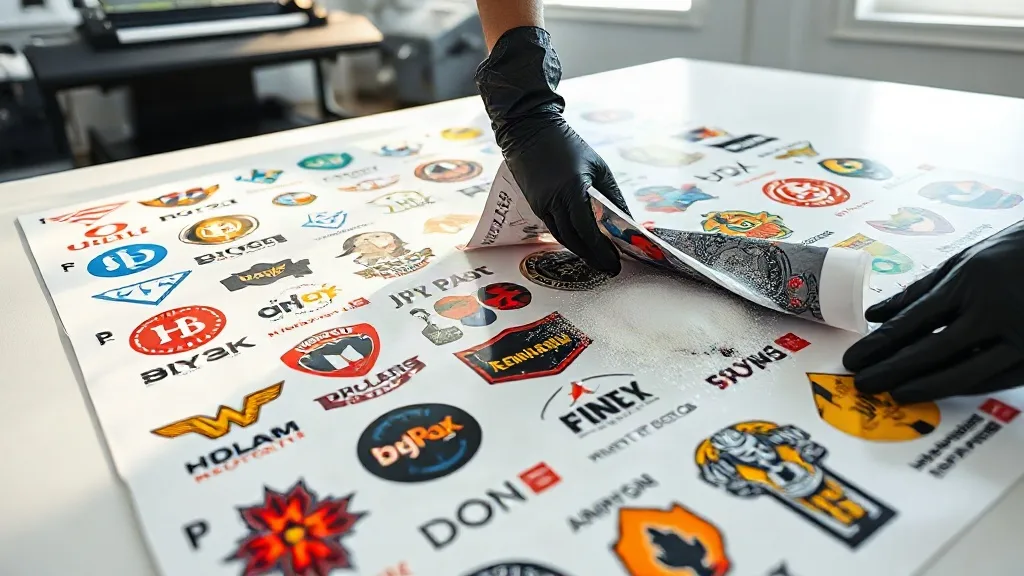
If you run a small print shop or an online store, you know that efficiency and cost control are key to staying profitable. Every minute spent on setup and every inch of wasted material eats into your margins. That's where DTF Gangsheet printing comes in. By arranging multiple designs on a single sheet, you can maximize your printer's output and minimize waste, all while delivering high-quality transfers to your customers.
What Exactly Is a DTF Gangsheet?
A DTF gangsheet is a large sheet of transfer film that holds multiple DTF (Direct-to-Film) prints arranged efficiently. Instead of printing each design individually, you gang them together on one sheet, hence the name. This method is particularly popular among apparel decorators, promotional product makers, and anyone who needs to produce varied designs in small batches.
The process involves printing your designs onto a special film using DTF inks, applying a powder adhesive, and then curing the sheet. Once ready, you can cut out each design and heat press it onto fabrics. Gangsheets can be as long as your printer allows, often up to 60 inches or more, giving you plenty of room to fit numerous designs.
Why Gangsheets Are a Game-Changer for Small Businesses
For small businesses, every dollar counts. Gangsheets offer several advantages that directly impact your bottom line.
Cost Savings on Materials and Time
By grouping designs, you use less film and powder per print. The savings on materials add up quickly, especially if you produce hundreds of transfers per week. Moreover, you spend less time loading and unloading the printer, which frees you up to focus on other tasks like marketing or customer service.
Increased Production Speed
Printing multiple designs in one go means faster turnaround times. If you have a rush order for a sports team with different names and numbers, a gangsheet lets you print all variations at once. No more printing one by one and waiting for each to finish.
Reduced Waste
Traditional DTF printing often leaves unused film between designs. With gangsheets, you can nest designs closely together, minimizing wasted space. This is not only eco-friendly but also reduces your material costs.
How to Create an Effective DTF Gangsheet
Creating a gangsheet might seem straightforward, but a little planning goes a long way. Follow these steps to ensure your gangsheets are both efficient and high-quality.
1. Choose the Right Software
Use design software that allows you to arrange multiple designs on a single canvas. Adobe Illustrator, CorelDRAW, or dedicated RIP software like Cadlink or AcroRIP are common choices. Make sure your software can handle large file sizes and export in the format your printer requires.
2. Optimize Design Placement
Arrange your designs to minimize empty space. Rotate designs if necessary to fit them snugly. Leave a small gap (about 0.25 inches) between designs to allow for cutting and to prevent ink bleeding. Also, consider the grain of the film if applicable.
3. Consider the Cutting Process
If you plan to cut the gangsheet by hand, leave enough space around each design for easy cutting. If you have a cutting plotter, you can nest designs more tightly, but ensure the plotter can detect registration marks if needed.
4. Test Print and Adjust
Before committing to a full gangsheet, do a small test print to check color accuracy, ink coverage, and adhesion. Adjust your printer settings accordingly. This step saves you from wasting a large sheet due to a simple mistake.
Common Pitfalls to Avoid with DTF Gangsheets
Even experienced printers run into issues. Here are some common mistakes and how to avoid them.
- Overcrowding: Packing designs too tightly can cause ink smudging or difficulty in cutting. Leave adequate spacing.
- Ignoring film orientation: Some films have a preferred side for printing. Printing on the wrong side will ruin the sheet.
- Inconsistent powder application: Too much or too little adhesive powder can affect transfer durability. Use a powder shaker for even coverage.
- Skipping the curing step: Proper curing is essential for the powder to melt and adhere. Follow the manufacturer's recommendations for temperature and time.
DTF Gangsheets vs. Other Printing Methods
How do gangsheets stack up against screen printing, DTG, or vinyl? Each method has its strengths, but DTF gangsheets shine in specific scenarios.
Compared to Screen Printing
Screen printing is cost-effective for large orders of a single design, but setup costs are high for small batches. DTF gangsheets have no setup fees and allow you to print multiple designs at once, making them ideal for small, varied orders.
Compared to DTG
Direct-to-garment printing is great for detailed designs on cotton, but it requires pre-treatment and can be slow. DTF gangsheets work on a wide range of fabrics, including polyester and blends, and offer faster production for multiple items.
Compared to Vinyl
Heat transfer vinyl is perfect for simple, one-color designs, but layering multiple colors is time-consuming. DTF gangsheets handle full-color designs with ease and eliminate the weeding process.
Maximizing Profitability with Gangsheets
To get the most out of your gangsheet printing, consider these tips.
Offer Customization
Use gangsheets to offer personalized products, such as names on jerseys or custom logos on tote bags. Customers love personalization, and you can charge a premium for it.
Batch Similar Orders
Group orders with similar designs or colors to fill a gangsheet efficiently. For example, if you have several customers ordering shirts with the same logo but different names, gang them together.
Invest in Quality Supplies
Cheap film or powder can lead to poor transfer quality and customer complaints. Choose reputable suppliers like dtfeasyto.com for reliable DTF materials.
Frequently Asked Questions About DTF Gangsheets
What is the maximum size for a DTF gangsheet?
The maximum size depends on your printer's capabilities. Many DTF printers can handle sheets up to 60 inches wide and several feet long. Check your printer's specifications for exact limits.
Can I print different designs on the same gangsheet?
Absolutely. That's the whole point of a gangsheet. You can mix and match designs of various sizes and colors as long as they fit within the sheet dimensions.
How do I cut a DTF gangsheet?
You can cut it manually with scissors or a rotary cutter, or use a cutting plotter for precision. If using a plotter, ensure your designs have cut lines or registration marks.
Do I need special software to create a gangsheet?
You need design software that allows you to arrange multiple designs on one canvas. Many RIP software options for DTF printers include gangsheet layout tools.
How long does a DTF gangsheet last?
When stored properly in a cool, dry place, DTF transfers can last up to 12 months. Once pressed onto fabric, the print can withstand numerous washes if cared for correctly.
DTF gangsheets are a versatile and cost-effective solution for anyone in the apparel decoration business. By understanding how to create and use them effectively, you can streamline your operations and offer more to your customers. Give them a try and see the difference in your workflow and profits.